Monday, May 22, 2024
PC Hardware Failure Signs You Should Not Ignore
by
Published
Views:
In modern electronics manufacturing, ignoring early PC hardware failure signs can trigger costly downtime, disrupt printed circuit board assembly workflows, and reduce operational efficiency. For engineers, buyers, and decision-makers managing interconnected systems—from energy management platforms to green mobility equipment—recognizing these warning signals early is essential to protect performance, control risk, and support smarter technical and commercial decisions.
For most readers searching for PC hardware failure signs you should not ignore, the core question is not simply “what can go wrong?” but “how do I spot meaningful warning signs early enough to prevent disruption, data loss, quality issues, or unnecessary replacement costs?” In practical terms, the most important answer is this: repeated crashes, unusual noises, overheating, storage errors, display artifacts, sudden slowdowns, and intermittent peripheral failures are not random annoyances. They are often early indicators of component degradation that should be investigated before they escalate into broader operational or financial risk.
Which PC hardware failure signs matter most in real-world operations?
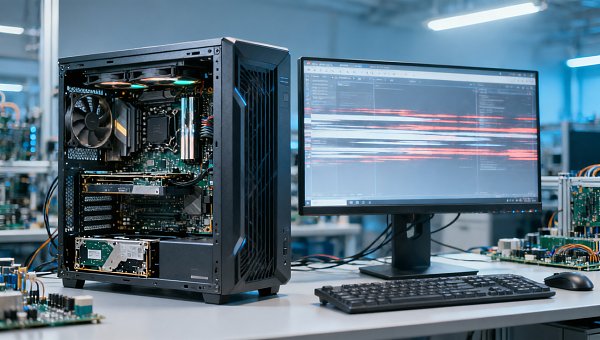
Not every glitch points to imminent hardware failure, but some patterns deserve immediate attention because they commonly appear before a more serious breakdown. For technical teams, operators, and business stakeholders alike, the key is to separate isolated software issues from recurring symptoms tied to physical components.
The most important PC hardware failure signs include:
- Frequent blue screens, freezes, or random restarts: These often indicate failing RAM, motherboard instability, power supply issues, or storage corruption.
- Unusual clicking, grinding, or buzzing sounds: Traditional hard drives, cooling fans, and power supply units can produce abnormal noise when mechanical wear begins.
- Persistent overheating: A PC that runs hotter than normal, throttles performance, or shuts down under load may have failing fans, degraded thermal paste, blocked airflow, or power delivery problems.
- File corruption or slow boot times: These are common signs of SSD or HDD degradation, especially when paired with read/write errors.
- Screen flickering, artifacts, or unexpected display loss: Graphics cards, video memory, cables, connectors, or motherboard interfaces may be failing.
- USB ports, network adapters, or peripheral connections working intermittently: This may point to motherboard wear, damaged I/O controllers, or unstable power delivery.
- Battery swelling or rapid battery decline in laptops: This is both a performance issue and a safety concern that should never be ignored.
For industrial and enterprise environments, these symptoms matter even more because a single workstation failure can interrupt testing, production planning, procurement workflows, quality documentation, or machine-interface control. In these cases, early detection supports both uptime and risk management.
What do these warning signs usually indicate at the component level?
Readers with technical or evaluation responsibilities usually want more than a symptom list. They want to understand what the signs suggest and how urgent the response should be.
RAM failure often shows up as random crashes, application instability, corrupted output, or failed boots. If instability becomes more frequent during multitasking or memory-heavy applications, memory diagnostics should be prioritized.
Storage failure is one of the most common causes of preventable disruption. A degrading SSD or HDD may produce slow file access, boot errors, disappearing files, corrupted project data, or operating system repair loops. In manufacturing and engineering environments, this can compromise version control, test logs, CAD assets, and production records.
Power supply issues are frequently underestimated. A failing PSU can cause intermittent shutdowns, system resets under load, USB instability, or motherboard stress. Inconsistent power delivery is especially problematic in systems connected to measurement equipment, industrial interfaces, or validation tools.
Cooling system failure can damage CPUs, GPUs, and voltage regulation components over time. If a system becomes loud, hot, or unstable during normal workloads, cooling degradation may already be affecting performance and lifespan.
Motherboard degradation is harder to diagnose because symptoms can appear across multiple areas: ports stop responding, memory becomes unstable, expansion cards disconnect, or the system fails to start consistently. This is often where repeated “small issues” turn out to have a shared hardware cause.
GPU failure is often associated with display anomalies, rendering errors, black screens, or crashes during graphics-intensive tasks. This matters not only for design teams, but also for operations using visual inspection systems, simulation software, or machine dashboards.
How can teams tell the difference between a software problem and a hardware problem?
This is one of the most practical concerns for users and decision-makers. Replacing hardware too early wastes budget, but waiting too long increases the cost of failure. A useful approach is to judge the issue by pattern, repeatability, and diagnostic evidence.
Hardware problems are more likely when:
- The issue persists after software updates, driver reinstalls, or OS recovery.
- Errors occur across multiple applications rather than one specific program.
- The system fails under physical stress such as heat, load, or long operating hours.
- Diagnostic tools report SMART storage warnings, memory errors, thermal anomalies, or voltage instability.
- Symptoms worsen gradually over time.
Software problems are more likely when:
- The issue started immediately after a specific update or configuration change.
- The problem is limited to one application or driver stack.
- Clean boot testing or a fresh operating system environment resolves the issue.
For organizations with multiple systems, the most efficient method is not guesswork but structured triage: document the symptom, isolate the component path, run diagnostics, review event logs, and compare behavior against known-good systems. This reduces both downtime and unnecessary procurement.
When should a business repair, replace, or escalate the issue?
For enterprise readers, the decision is rarely technical alone. It involves downtime cost, asset age, data criticality, safety exposure, and the role of the system in the workflow.
Repair or targeted replacement is usually appropriate when the issue is isolated to components such as RAM, storage, fans, batteries, or power supplies, and the underlying platform remains fit for purpose.
Full replacement is often more economical when:
- Multiple components are failing at once
- The motherboard is unstable or obsolete
- The system no longer meets current workload requirements
- Downtime risk is more expensive than replacement cost
- Compliance, cybersecurity, or supportability concerns are rising
Immediate escalation is necessary when there are signs of electrical smell, smoke, battery swelling, repeated shutdowns in critical tasks, or systems supporting regulated quality, safety, or production processes. In these cases, the risk extends beyond equipment life to personnel safety, product quality, and business continuity.
For procurement teams and approvers, it helps to evaluate failures through a simple lens: what is the cost of waiting? If a workstation supports production scheduling, quality traceability, industrial design, test validation, or customer-facing operations, delay can be more expensive than timely intervention.
What preventive actions actually reduce hardware failure risk?
Readers do not just want to recognize hardware failure signs. They also want practical actions that reduce the likelihood of sudden disruption.
The most effective measures include:
- Routine health checks: Monitor temperatures, storage SMART data, fan performance, and system event logs.
- Scheduled cleaning and thermal maintenance: Dust buildup and poor airflow remain major causes of overheating and shortened component life.
- Power quality protection: Use quality PSUs, surge protection, and uninterruptible power supplies where appropriate.
- Backup discipline: If storage degradation appears, backups should be verified immediately, not later.
- Lifecycle planning: Replace systems based on condition and workload criticality, not just calendar age.
- Failure pattern tracking: Repeated issues across device batches, operating environments, or suppliers can reveal broader quality or sourcing problems.
For industrial organizations, these practices tie directly to broader goals such as operational efficiency, maintenance planning, quality assurance, and supply chain resilience. A PC failure is rarely just an IT inconvenience when digital workflows support engineering, procurement, compliance, and production control.
Why early recognition of PC hardware failure signs supports better technical and commercial decisions
The value of early detection goes beyond avoiding one broken device. For operators, it prevents work interruption. For engineers, it protects data integrity and workflow continuity. For quality and safety teams, it reduces hidden process risk. For business leaders and financial approvers, it improves timing, budgeting, and replacement decisions.
In cross-sector environments like electronics, automotive, smart agriculture, environmental systems, and industrial infrastructure, even standard PC hardware can sit inside a larger chain of critical activity. A failing storage drive may delay design release. An unstable power supply may corrupt test results. Thermal issues may reduce the reliability of systems used for inspection, reporting, or process control.
That is why the most useful approach is proactive rather than reactive: identify the signs, confirm the root cause, judge the business impact, and act before minor faults become major interruptions.
In summary, the PC hardware failure signs you should not ignore are the ones that repeat, worsen, or affect system stability, data reliability, thermal behavior, or peripheral consistency. If a PC shows frequent crashes, abnormal noise, overheating, storage errors, or display anomalies, treat those symptoms as decision signals—not background noise. Early action is usually the lowest-cost, lowest-risk option.
The Archive Newsletter
Critical industrial intelligence delivered every Tuesday. Peer-reviewed summaries of the week's most impactful logistics and market shifts.