Monday, May 22, 2024

Printers and Scanners: Common Setup Problems and Practical Fixes
by
Published
Views:
Where printers and scanners fail first in real workflows
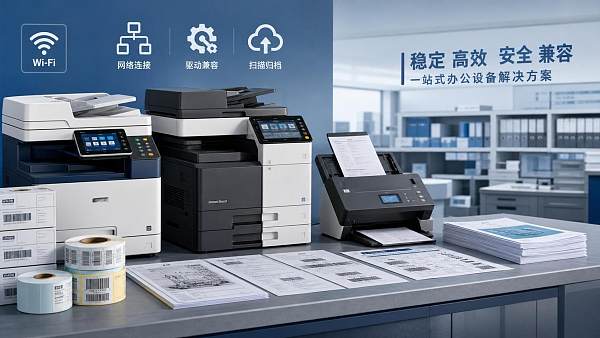
Printers and scanners rarely fail at the same point for every operation.
A design office, an automotive supplier, and a smart agriculture facility may use similar devices, yet their setup pressure is very different.
In one environment, the issue is usually driver mapping across mixed operating systems.
In another, it is network discovery, scan-to-folder permissions, or unstable USB handoff between legacy stations.
That is why troubleshooting printers and scanners should start with actual workflow conditions, not only with device specifications.
Across sectors tracked by Global Industrial Matrix, document hardware still supports quality records, shipping labels, service documentation, compliance archives, and engineering revisions.
When setup goes wrong, the visible symptom may look small, but the downstream effect can be larger than expected.
A scanner that saves blurred maintenance logs can slow audits.
A printer that drops network connection can delay traceability labels or work instructions.
The practical fixes below focus on how printers and scanners behave under different usage patterns, and how to restore reliable setup without overcomplicating the environment.
Different sites ask different things from printers and scanners
The same device can be acceptable in one setting and frustrating in another.
More often, the difference comes from document volume, network rules, file naming discipline, and how many systems need to touch the output.
A small office may only need fast plug-and-play installation.
A production cell may need stable label printing, barcode clarity, and uninterrupted access after system restarts.
A technical benchmark platform such as GIM also highlights a wider point.
Cross-sector operations often inherit mixed standards, aging equipment, and segmented IT policies.
That mix makes setup errors more likely, especially when printers and scanners are installed as afterthoughts.
This is the better starting point for diagnosing printers and scanners: match the device setup to the document path, not just the brand or speed rating.
Office and mixed-admin environments usually struggle with drivers first
In shared office environments, setup problems often begin before the first page is printed.
The device appears online, yet the workstation cannot print, scan, or keep default settings after reboot.
The root cause is frequently a mismatch between manufacturer drivers, generic drivers, and operating system security updates.
Printers and scanners connected through a print server can also inherit stale queues from older installations.
That creates duplicated devices, wrong paper profiles, or scanning functions that disappear.
What to check before replacing anything
- Remove inactive print queues and old scanner profiles from the operating system.
- Confirm whether the device needs a full-feature driver or only a print-class driver.
- Check if scan software requires separate TWAIN, WIA, or ICA support.
- Verify that the device firmware matches the supported driver release.
A common misjudgment is assuming every universal driver saves time.
For basic printing, that may be true.
For duplex scanning, file routing, stapling, or secure release printing, it often removes necessary functions.
Production and logistics areas care more about stable connection than fancy features
On production lines, printers and scanners are judged by continuity.
If a label printer loses network visibility for even a short period, traceability and shipping flow are affected immediately.
In these settings, practical fixes start with infrastructure basics.
Dynamic IP assignment, unmanaged switches, and power cycling during shift changes create recurring setup failures.
It is usually better to assign static IP addresses, reserve ports, and document queue names clearly.
Another issue is print output quality.
A printer may be technically connected, yet barcode edges blur because the default print language or resolution is wrong.
That becomes a setup problem, not only a consumables problem.
Better setup choices in high-uptime areas
- Use fixed network settings for devices tied to labels or controlled templates.
- Store print presets for media size, darkness, and orientation.
- Test actual barcode or QR readability after installation, not only print appearance.
- Keep a local fallback path when cloud print services are unstable.
In industrial environments measured against ISO, IATF, or IPC-linked documentation routines, setup reliability matters more than broad feature lists.
Scanning quality problems often come from workflow settings, not hardware failure
When scanners produce unreadable files, many teams assume the glass, feeder, or sensor is failing.
In practice, the problem is often introduced during setup.
Resolution may be set too low for engineering annotations.
Compression may be too aggressive for inspection photos or signed forms.
The scanner may also save to a folder with restricted permissions, causing silent failures.
This appears often in maintenance, environmental reporting, and technical verification records, where scanned documents need both clarity and retention discipline.
Settings worth adjusting early
- Use 300 dpi or higher for annotated technical pages and compliance documents.
- Separate OCR presets for typed documents and image-heavy records.
- Validate file naming, destination permissions, and overwrite rules.
- Clean feeder rollers when skewed pages are mistaken for software defects.
A useful judgment rule is simple: if scan issues affect only certain document types, review the profile before suspecting the hardware.
Remote sites and cross-sector operations need easier recovery paths
Not every location has immediate technical support.
Remote facilities, field labs, and distributed service points need printers and scanners that recover quickly after interruption.
This is especially relevant in operations that bridge electronics, mobility, agriculture, and infrastructure, where device fleets are rarely standardized end to end.
A setup that depends on one proprietary utility, one forgotten credential, or one cloud route is fragile.
More resilient setups use documented local drivers, saved scan profiles, and basic restart procedures that can be repeated without guesswork.
That is a practical lesson from wider industrial benchmarking as well.
Systems become dependable when recovery is designed into the setup, not only into procurement decisions.
The mistakes that keep printers and scanners unstable
Several setup mistakes appear in almost every sector, even when the workflow looks different.
- Choosing by print speed alone, while ignoring driver maturity and scan software support.
- Treating office scanning and regulated record capture as the same task.
- Using temporary USB setup, then expecting stable network behavior without reconfiguration.
- Skipping firmware updates because the device appears to work on day one.
- Ignoring lifecycle costs such as reinstallation time, operator retraining, and failed document recovery.
These are not dramatic errors, yet they create most recurring calls around printers and scanners.
The pattern is consistent: setup is treated as a one-time action, while the real need is stable operation under changing conditions.
A practical way to decide the next setup step
When printers and scanners keep failing, start by mapping where the document begins, where it moves, and who or what system must use it next.
That usually reveals whether the main issue is driver fit, network design, scan profile quality, or recovery planning.
Then compare actual conditions across the site: operating systems, connection type, required output quality, retention rules, and restart frequency.
For environments with mixed industrial workflows, it also helps to align document hardware decisions with broader technical benchmarking habits.
That means checking compatibility, maintenance effort, and long-term repeatability before expanding a setup across locations.
A clear next step is to build a short site checklist for printers and scanners.
List the required functions, fixed constraints, fallback options, and validation tests.
With that in place, setup decisions become more consistent, downtime drops, and document workflows stay dependable under real operating pressure.

The Archive Newsletter
Critical industrial intelligence delivered every Tuesday. Peer-reviewed summaries of the week's most impactful logistics and market shifts.